
A baju kurung, one campaign set
1 photo on a hanger, 8 campaign shots, RM7
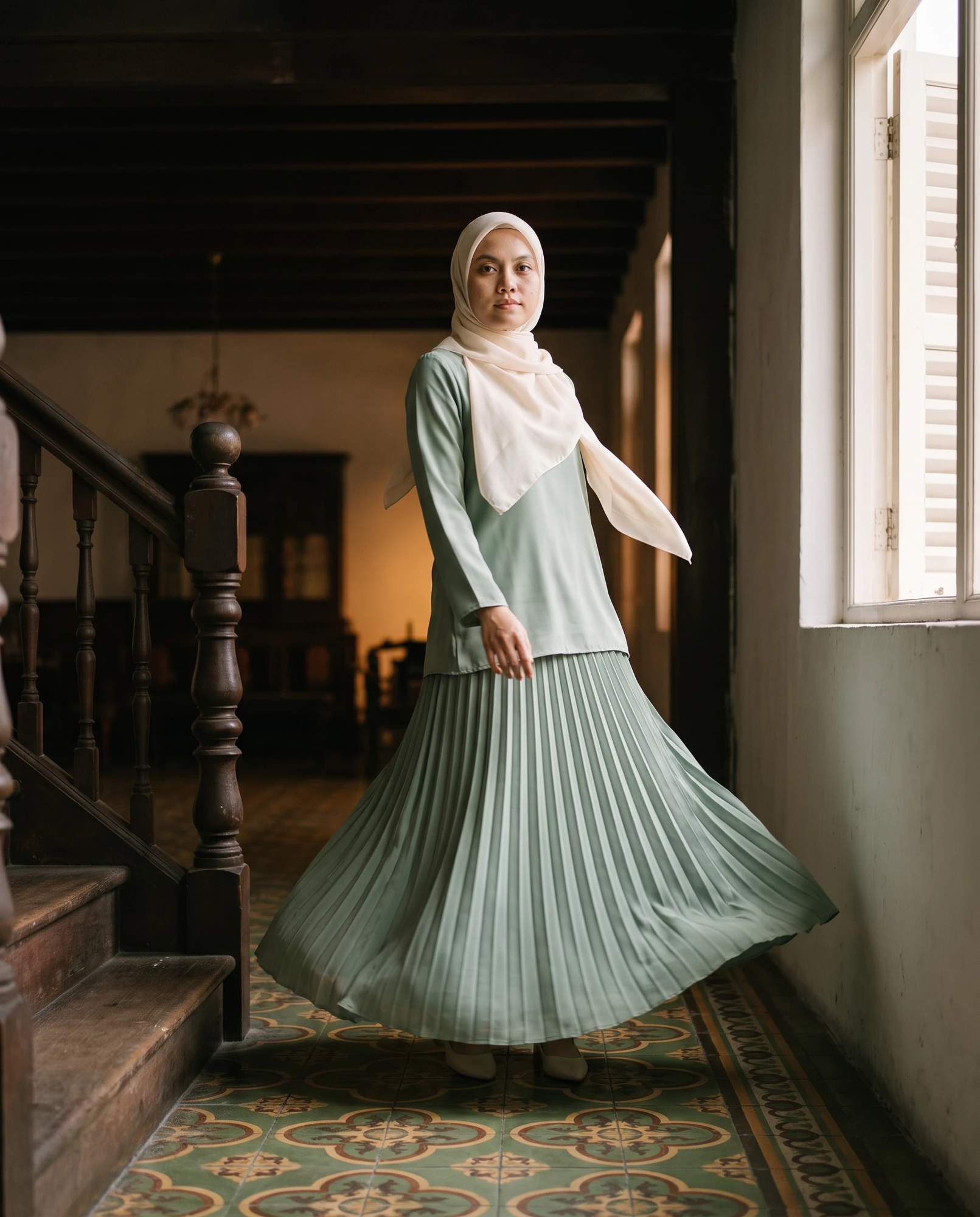
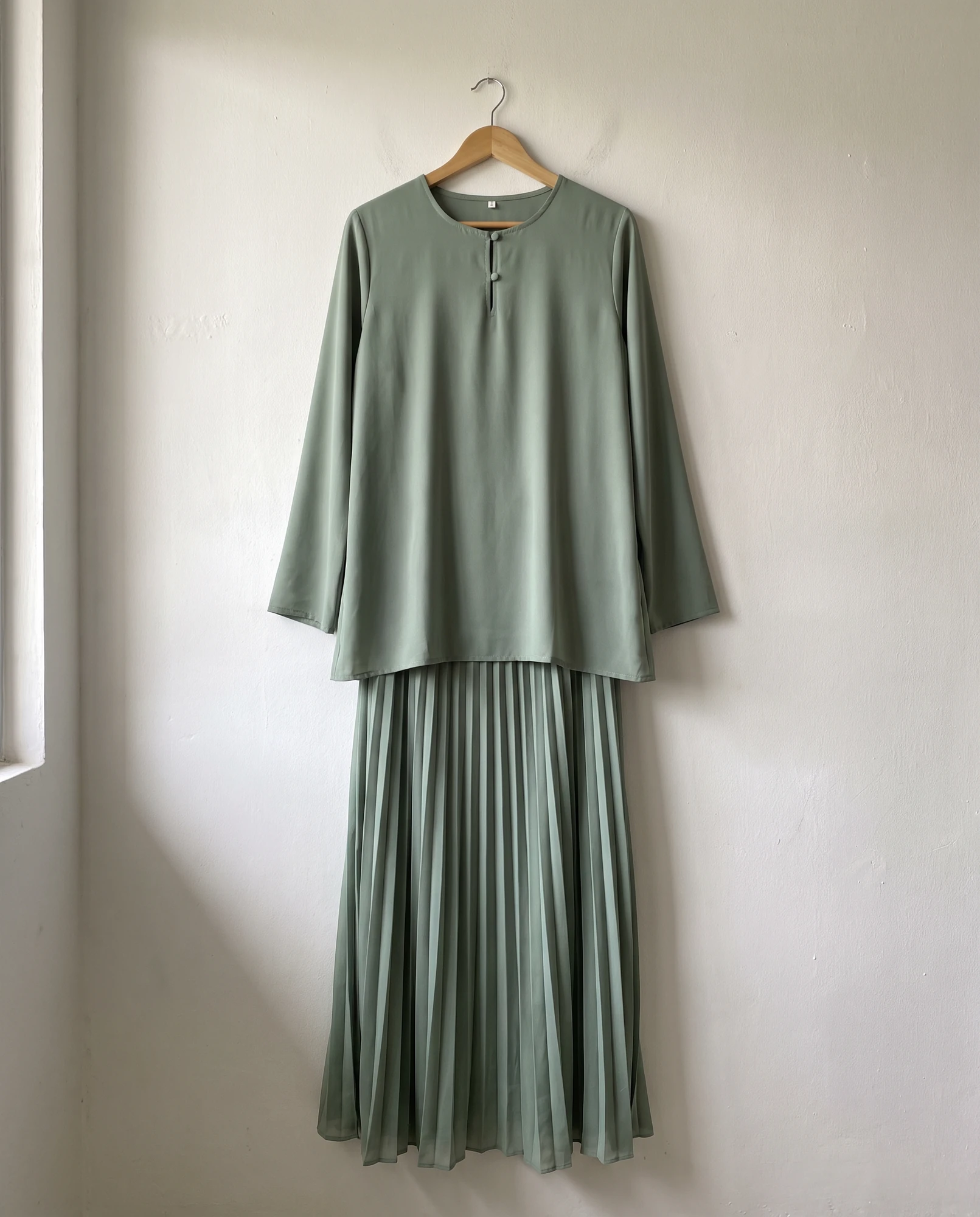
Drag to compare
Tap to enlarge, swipe for next
Free guide
1 photo on a hanger, 8 campaign shots, RM7
Drag to compare
Tap to enlarge, swipe for next
1 phone photo, 8 campaign shots, 2 videos, RM14
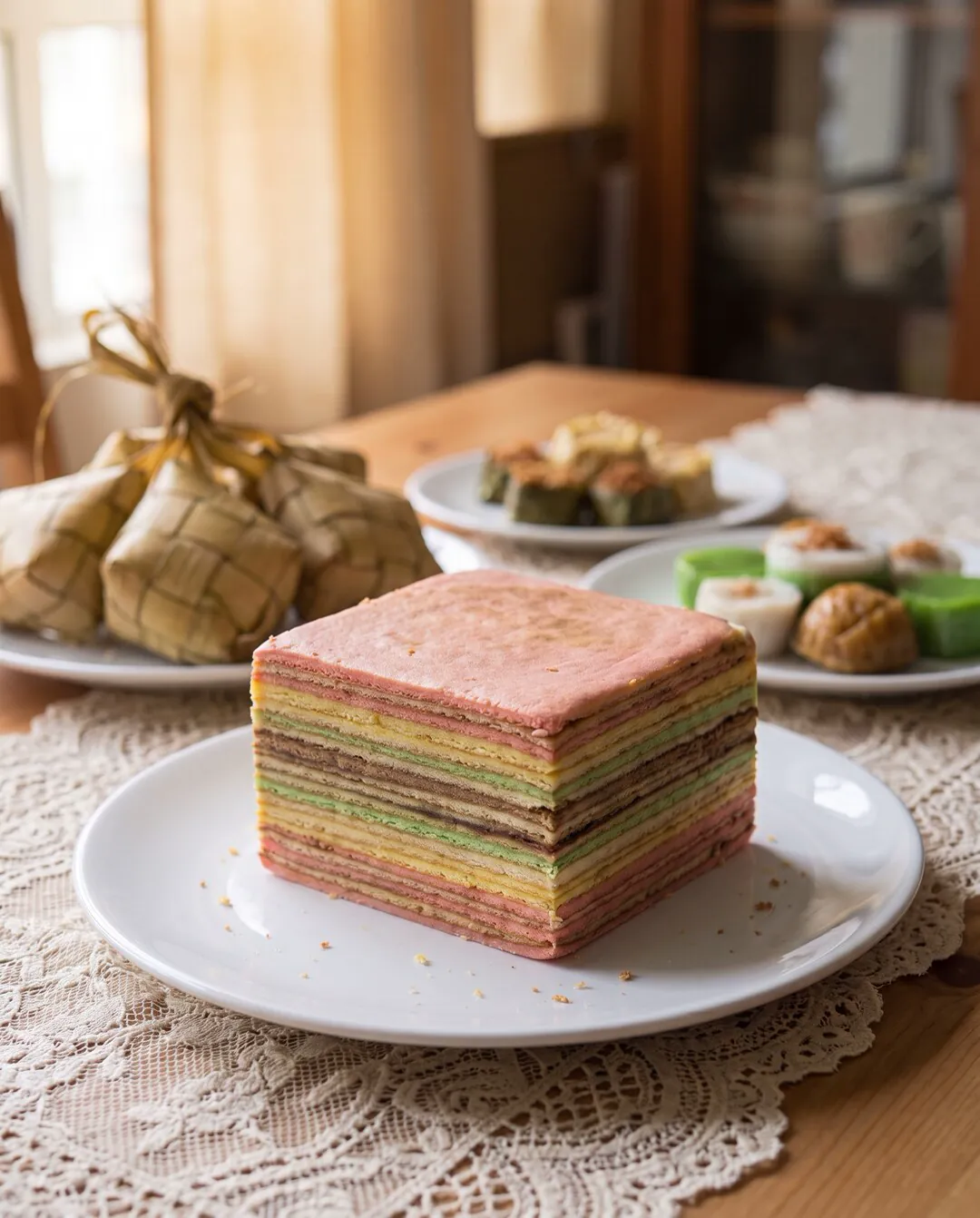
 BeforeAfter
Drag to compare
Tap to enlarge, swipe for next
This is the way I do it myself. One sitting, about RM14.
For kedai owners, clothing sellers, home bakers and tuition centres.
One tip before anything else. The whole thing rises and falls on your product photo. Wipe the product. Put it near a window. Switch off the yellow ceiling light. Take it from the front and from a slight angle. Pick the sharpest one.
You only do this once.
https://mcp.fal.ai/mcp-relayTo check it is alive, paste this into a new chat:
Use the fal connector and list the image and video models you can reach.
Group them by type. Tell me which ones can edit an image using my uploaded photo as a reference, and which ones can turn an image into a video.
If you use Claude Code in the terminal instead, that works too. Add the same server URL as an MCP server there and the steps after this are identical.
You do not pick a model from a dropdown. You just say the name in your message.
I use Nano Banana Pro edit for the photos, because it takes my product photo as a reference and keeps the product looking like the real thing. I use Seedance for the videos, image to video.
Upload your product photo and paste this:
For this project, use fal. Use Nano Banana Pro edit for every image, and Seedance for every video.
Default image size: 4:5 vertical, highest resolution available.

I have attached one photo:
1. [PRODUCT]: my real product. It must appear exactly like this in every shot.

Use this photo as a reference for every single generation. Keep the shape, the colour, the texture, the packaging and the label accurate. Do not redesign my product.
If a person needs to be in the shot, say so here, and say who:
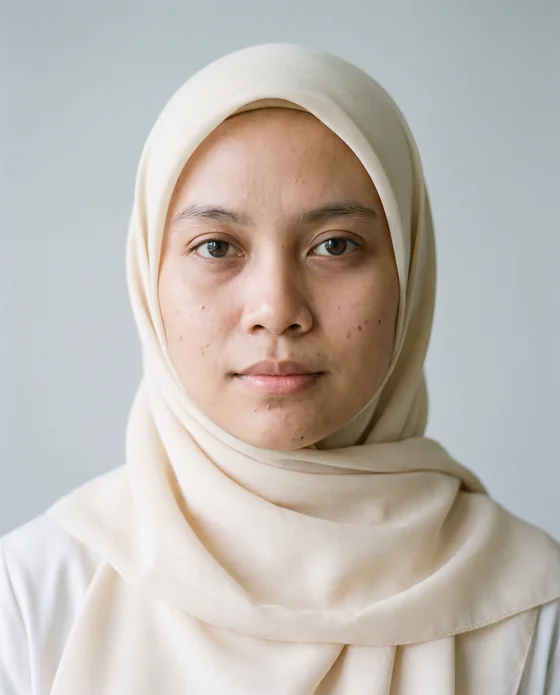
When a person is needed, use a Malaysian Malay woman in her late twenties, modern baju kurung in a soft plain colour, light natural makeup, warm and relaxed. Hands and face must look natural.The master prompt is the part that never changes. Light, background, camera, colour, mood, and what you do not want. Only the angle and the framing change from shot to shot. That is the whole trick behind a set that looks like one photoshoot instead of eight random pictures.
If you already have one photo you love, upload it and have Claude read the look first. Then have it write that look back as one paragraph: light, background, camera, colour, mood. That paragraph is your master prompt. Lock it and use it on every shot.
This is where most people go wrong. They let the AI decide the background, and they end up with a marble kitchen in California. Your customer does not live there. Your customer wants to see your product somewhere they recognise.
So you name the place yourself. List six places your customer knows, one per line, then say which places you do not want. No foreign supermarket shelves, no farmhouse kitchens, no snow.
You give a short shot list. Claude fills each one into the master prompt. You do not write eight long prompts by hand.
One shot per line: angle, framing, place. Ask to see all eight prompts before anything is generated.
Read them once. If one is off, fix only that one:
Prompt 4 is wrong. The background should be a kampung verandah, not a studio. Rewrite only prompt 4.fal runs the jobs at the same time, so you are not waiting in a queue eight times. The whole set lands in your chat.
Looks good. Generate all eight prompts now with Nano Banana Pro edit on fal, in parallel, 4:5 vertical, highest resolution, using my product photo as the reference for each one.
When they are done, show them in the chat and give me a numbered list with a short name and the download link for each image.
Want more of a favourite:
Generate 3 more variations of image [number] with the same prompt, same reference and same settings, in parallel.Download all of them to your phone. Keep the ones you like, delete the rest. Expect to keep five or six out of eight. That is normal.
Use your chosen image as the first frame. The video then carries the same look as the photo.
Pick two images, hand Seedance each one as the first frame, and ask for one small movement. Have Claude show you the motion prompts before it generates.
Keep the motion small. Big movement is where AI video starts to look wrong. A slow push in on a kek lapis is more convincing than a chef flipping a pan.
This is the step everyone skips, and it is the one that makes your post look professional.
Never ask the AI to write text inside the picture. AI spelling comes out broken. It will give you "Kek Lapis Sarwak" or "RM 3O" or letters that are not letters. Even when it looks right at a glance, zoom in and it is wrong. Malay words come out worse than English ones.
So you leave the picture clean and you add the words yourself.
Why this is better. Your headline stays editable. Next week the price changes, Raya comes, you run a promo, you open the same file and retype one line. You do not regenerate anything. You do not pay again. One campaign set can carry you through months of posts because only the text on top changes.
When you ask for the images, add this line so nothing is baked in:
No text, no words, no logos, no price tags, no watermarks anywhere in the image. Leave clean empty space at the top for me to add my own headline later.Top up USD 5 on fal to start. That is enough for your first two or three campaigns. There is no monthly subscription, and nothing is charged when you are not generating.
Compare that to one product shoot. You know the number.
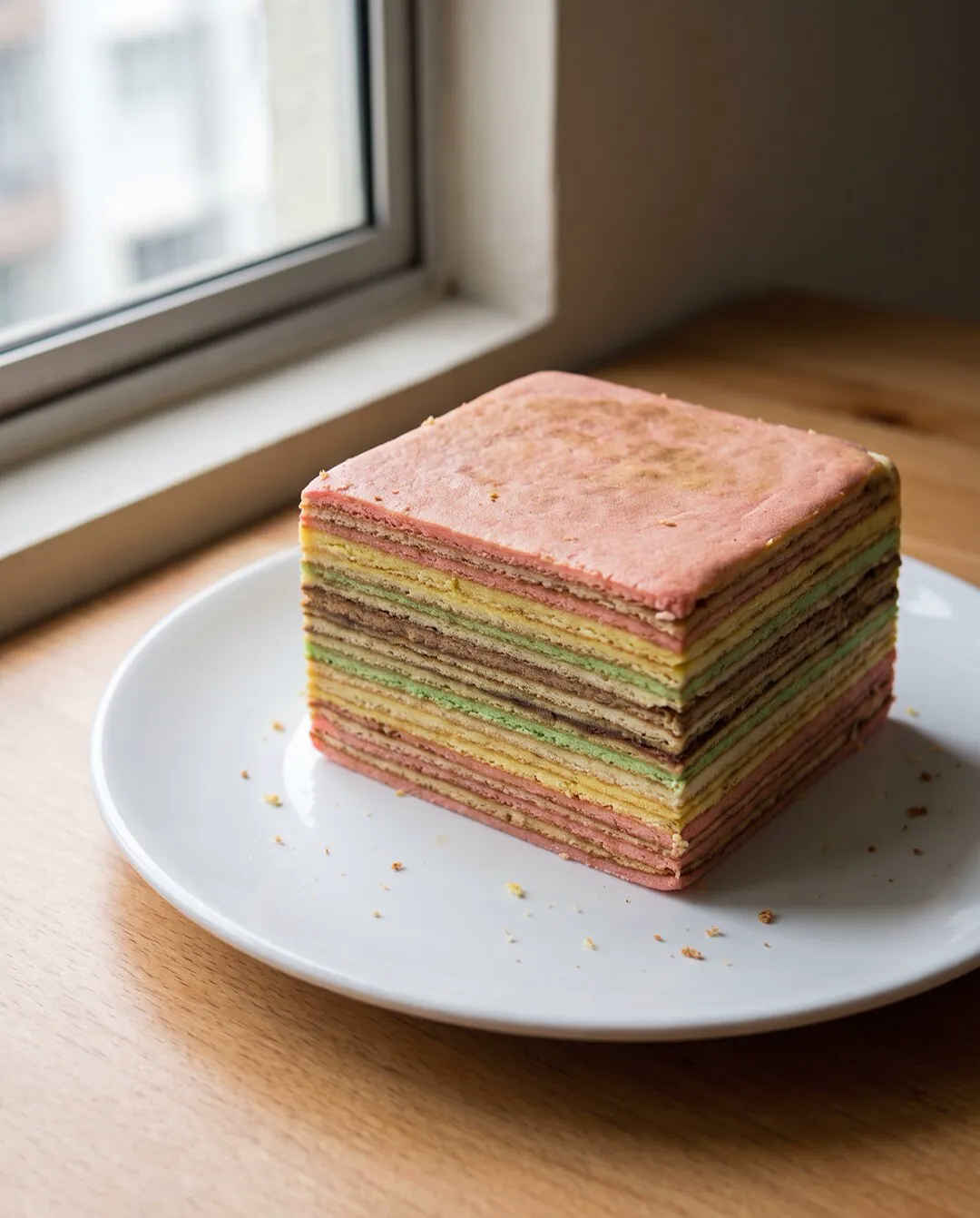
Let us say your brand is Kek Lapis Mak Timah. You bake at home in Kuching and sell on WhatsApp and Instagram. You have one photo: a whole kek lapis on a white plate on your kitchen table, taken near the window.
The eight shots: the kedai counter, a Raya open house table, one slice on a small plate, a flat lay on a dark wooden table, a rattan tray on a kampung verandah, a hand holding one slice, a cafe table beside a kopi, an extreme close up of the cut edge. All eight run on the same master prompt, only the angle and the place change.
Take image 2 and image 3 into Canva. On image 2 you write "Kek Lapis Raya, order sekarang" with your WhatsApp number. On image 3 you write the flavour name and the price. Take the two videos into CapCut, add a one line text at the top, export. That is one week of content from one afternoon.
Next month, same Canva file, new text, new price. You do not regenerate anything.
This guide already gives you the prompts to connect, upload your product, generate all eight at once and fix one shot. The rest I collected into the kit.
Connect fal to Claude once. Upload one clean product photo. Name Nano Banana Pro edit for images and Seedance for video. Lock a master prompt so every shot shares one look. Name your Malaysian settings so the product sits somewhere your customer knows. Give Claude a short shot list and let it write the eight prompts. Generate all eight at once, pick your best two, turn them into short videos. Then put your words on top in Canva or CapCut, never inside the picture, so your headline stays yours to edit.
One sitting. About RM10 to RM15. Enough content for the month.
RM99 one time
Every prompt in this guide, the full version, ready to paste.
Pay once, the link lands straight away. No subscription.
Got a question? WhatsApp me
Send me one message. Tell me what you sell and I will show you what your first set looks like.
Azrul TahaFounder, EZ FLOW LABZ